AI assistant website
A website where your assistant shows what it can do
Visitors ask your assistant a question on the home page and it answers from your own content. Then they see your plans, the jobs it does for businesses like theirs, and sign up in a minute. For an assistant service, or a company putting its own assistant in front of its customers. Built around your business, in as many languages as you need.









An assistant for your business
An assistant that answers your customers, from your own content
Add your pages and documents and it answers at any hour. Your team takes over whenever it matters.
- ✓Answers show their source
- ✓Hand-over to a person
- ✓Multi-language
Ask us anything
● Answers from our help articles
How do I put it on my website?
Copy one short code from your dashboard and paste it on any page. The chat window appears in your colours.
- 1Open Settings
- 2Copy the code
- 3Paste it on a page
↗ Source: Getting started guide · Step 3
 Talk to a person
What it does
See all →
Customer support
Orders, returns and accounts

Sales
Finds the right product

Bookings and guests
Free times and questions

Staff questions
Policies and handbooks
How it works
- 1
Add
Pages, documents and help articles
- 2
Check
Your team tests the answers first
- 3
Go live
On your website and your chat
- A person checks wherever it matters.
- Assistant on the home page
- Answers from your content
- Plans and packages
- Use cases
- Online sign-up
Live demo
Try your website with your own name
Put in your business name, logo and colour, then open your website and its admin side by side. Order or book on the website and watch it arrive in the admin. This is the working base we build yours from, changed to fit your business.
Your name, logo and colour stay in this browser. Nothing is uploaded.
An assistant for your business
An assistant that answers your customers, from your own content
Add your pages and documents and it answers at any hour. Your team takes over whenever it matters.
- ✓Answers show their source
- ✓Hand-over to a person
- ✓Multi-language
Ask us anything
● Answers from our help articles
How do I put it on my website?
Copy one short code from your dashboard and paste it on any page. The chat window appears in your colours.
- 1Open Settings
- 2Copy the code
- 3Paste it on a page
↗ Source: Getting started guide · Step 3
Talk to a personWhat it does
See all →Customer support
Orders, returns and accounts
Sales
Finds the right product
Bookings and guests
Free times and questions
Staff questions
Policies and handbooks
How it works
- 1
Add
Pages, documents and help articles
- 2
Check
Your team tests the answers first
- 3
Go live
On your website and your chat
- A person checks wherever it matters.
- Order or book on the website, then find it in the admin
- Change a price or hide an item in the admin and refresh the website
- Upload your logo and pick your colour
- Move an order or booking to its next step
Your website. Built your way. Quick to go live.
Plenty of companies will sell you a template and leave you to fill it in. We build the website around your business: every feature you want, your brand on every page, and any idea you bring us.
Fast to go live
We have built websites like this before, so we never start from a blank page. Yours goes live fast, on a date we agree with you in writing.
Fully customised
Every page, feature and booking rule is set up for the way you work. Want something nobody else has? Tell us and we build it.
Under your name
Your logo, your name, your own domain. The content, the customers and the visitors are all yours.
See it before you commit
Your proposal shows the designs, how it all works, exactly what it costs and when it goes live. No surprises.
What it does for your assistant business
The website people expect from an assistant they might use, and the sign-ups it brings in.
Try it on the home page
Visitors ask a real question and see your assistant answer before they sign up.
Answers from your content
It answers from your pages, help articles and documents, and shows where each answer came from.
Your plans
Your plans or packages side by side, with what each one includes.
Use cases
A page for each job it does: support, sales, bookings, staff questions and more.
Online sign-up
Choose a plan, add the team and start, or ask for a call first.
A person when it matters
Hand-over to your team for anything the assistant should not answer alone.
Found on Google
Built so people searching for an assistant for their business find you.
Multi-language
Every page in English and any other language your customers read.
Everything your assistant website can have
Modelled on the assistant and software websites your customers already know. Choose what you need at launch and what can wait. We build it all, along with anything unique to your business.
The assistant on the site
- Chat on the home page and every page
- Suggested questions to start
- Answers from your own content
- Links to where each answer came from
- Answers in the visitor's language
- Voice questions and read-aloud answers
- Hand-over to a person
- Topics it will not answer
- Opening line in your brand's voice
- Chat window in your colours
Plans and sign-up
- Plans or packages side by side
- Monthly and yearly switch
- What each plan includes
- Add-ons and extra seats
- Sign-up in a few steps
- Team invitations
- Book a call instead
- Promo codes
- Card, Apple Pay and Google Pay
- Invoices for business customers
Use cases and proof
- A page for each use case
- A page for each industry
- Sample conversations
- Customer reviews
- Before and after for a team's day
- Comparison with doing it by hand
- Questions and answers
- Videos and walkthroughs
- Downloadable guides
Help and trust
- Help centre and articles
- Getting started guide
- Status page
- Privacy and data pages
- Where data is kept
- How answers are checked
- Contact form to your team
- Live chat with a person
- Feedback on every answer
Marketing
- Blog and product news
- Release notes
- Email and Telegram sign-up
- Partner and reseller pages
- Landing pages for campaigns
- Found on Google
- Social media links and feeds
- Visitor and sign-up reports
- Meta and Google ad tracking
Your business
- Customer accounts
- Usage and billing pages
- Team and seats
- Company and enterprise enquiries
- Jobs page
- Fast on mobile data
- Security and backups
- Your own domain and email
How your website earns
It turns a visitor's first question into a customer.
Try before they buy
Visitors see the assistant answer their own question, on the first page they land on.
More sign-ups
Plans, use cases and sign-up a click away from the answer.
Bigger accounts
Seats, add-ons and company enquiries for the teams that need more.
New customers
People searching for an assistant for their business find you.
Live in four steps
We build it and put it live. You bring the customers.
- 01
Talk
Your assistant, who it is for, your plans and how people sign up.
- 02
Proposal
The pages, the features and the look, with a written quote.
- 03
Build
Your brand, content, plans and the assistant on the page, built by us.
- 04
Live
On your own domain, found on Google, with your team shown how to update it.
Tell us about your business. We send you a proposal.
Pick the features you like from this page, add your own ideas and tell us how you work. We come back with a proposal made for you:
Get my proposal- The designs, so you see exactly how your website will look
- How every part works, for your customers and for you
- Your written quote for the whole website
- How quickly it goes live, with a date
Flexible payment, agreed with each business.
An assistant for your business
An assistant that answers your customers, from your own content
Add your pages and documents and it answers at any hour. Your team takes over whenever it matters.
- ✓Answers show their source
- ✓Hand-over to a person
- ✓Multi-language
Ask us anything
● Answers from our help articles
How do I put it on my website?
Copy one short code from your dashboard and paste it on any page. The chat window appears in your colours.
- 1Open Settings
- 2Copy the code
- 3Paste it on a page
↗ Source: Getting started guide · Step 3
Talk to a personWhat it does
See all →Customer support
Orders, returns and accounts
Sales
Finds the right product
Bookings and guests
Free times and questions
Staff questions
Policies and handbooks
How it works
- 1
Add
Pages, documents and help articles
- 2
Check
Your team tests the answers first
- 3
Go live
On your website and your chat
- A person checks wherever it matters.
Your assistant, your website
Your name, your assistant's voice, your plans. This is where your logo goes.
- Your logo, colours, photos and words on every page.
- On your own domain, with your own email address.
- Conversations, sign-ups and customers are yours.
- No mention of Baal anywhere a visitor can see.
Have a bigger idea?
An assistant for one profession, an assistant inside your own product, an app to go with the website: whatever the idea, we build it around you.
An app to match
The AI chat app with the same assistant, plans and accounts.
A customer portal
Usage, seats, documents and billing for every customer.
Connections
Your help centre, your systems and the tools your customers use.
Frequently asked questions
Yes. Try the live demo: a sample assistant business with its own plans and sign-up, under your name and logo. Because yours is built around your business, the real preview is your proposal: the designs, how it works, exactly what it costs and when it goes live.
No assistant does, and we make no promise that it will. It answers from your own content, shows where each answer came from and hands over to your team, and a person checks wherever it matters.
Yes. Plans, use cases, help articles and the content the assistant answers from are changed from your phone.
Every website is quoted. Tell us what you need, we send a proposal, then a written quote, then an invoice.
As many as you need. Every page can be in English and any other language your customers read, and the assistant answers in the language the visitor writes in.
Fast. We have built websites like this before, so the time goes on what makes yours different: your brand, your assistant, your plans and your content. Your proposal gives you a go-live date.
The app to go with it
Want the app too?
Your own app on your customers' phones, with its own live demo. It shares the website's bookings, orders and customers, so you run both from one place.
AI chat app
Your own AI assistant app: chat, voice, built-in assistants, your own knowledge and subscriptions, under your own name.
See the app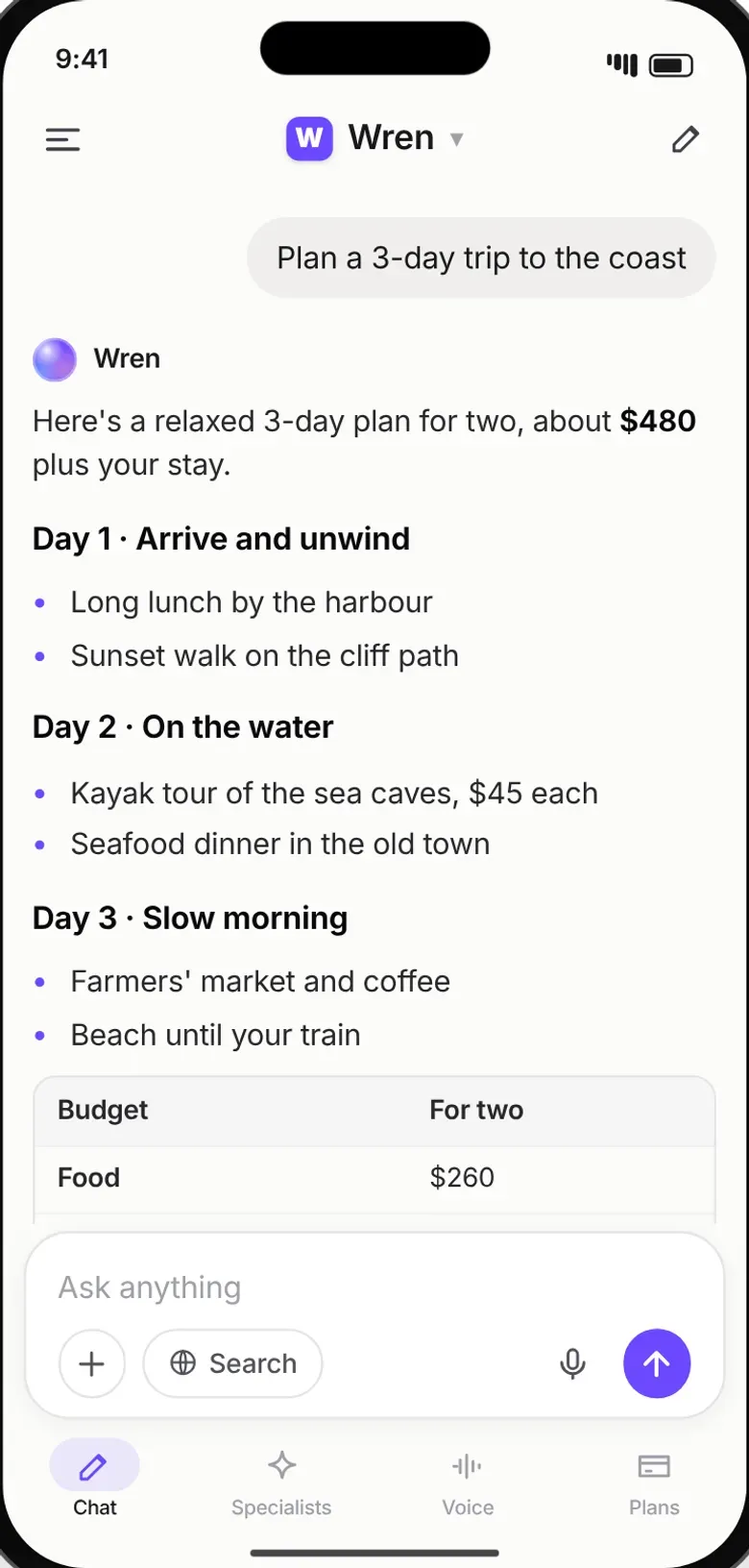
Other websites we build
- Travel portal
- Restaurant website
- Hotel website
- Spa & salon website
- Clinic website
- School website
- Gym & fitness website
- Online store website
- Real estate website
- Construction website
- Law firm website
- Events and venue website
- Car dealer website
- Charity website
- Car hire website
- Garage website
- Hair salon & barber website
- Laundry website
- Pharmacy website
- Taxi website
- Delivery website
- Holiday rental website
- Marketplace website
- Community website
- Dating website
- Video website
Ready to build something?
Want a ready-made app? Pick it, tell us your business name and you can be live in about 7 to 14 days. Something custom? Tell us about it on WhatsApp or Telegram and we send you a proposal and a written quote.